4.1.2.47 System managed account role revoking request
When System Managed Account Role Revoking Request is selected in the request list, the following screen is brought up: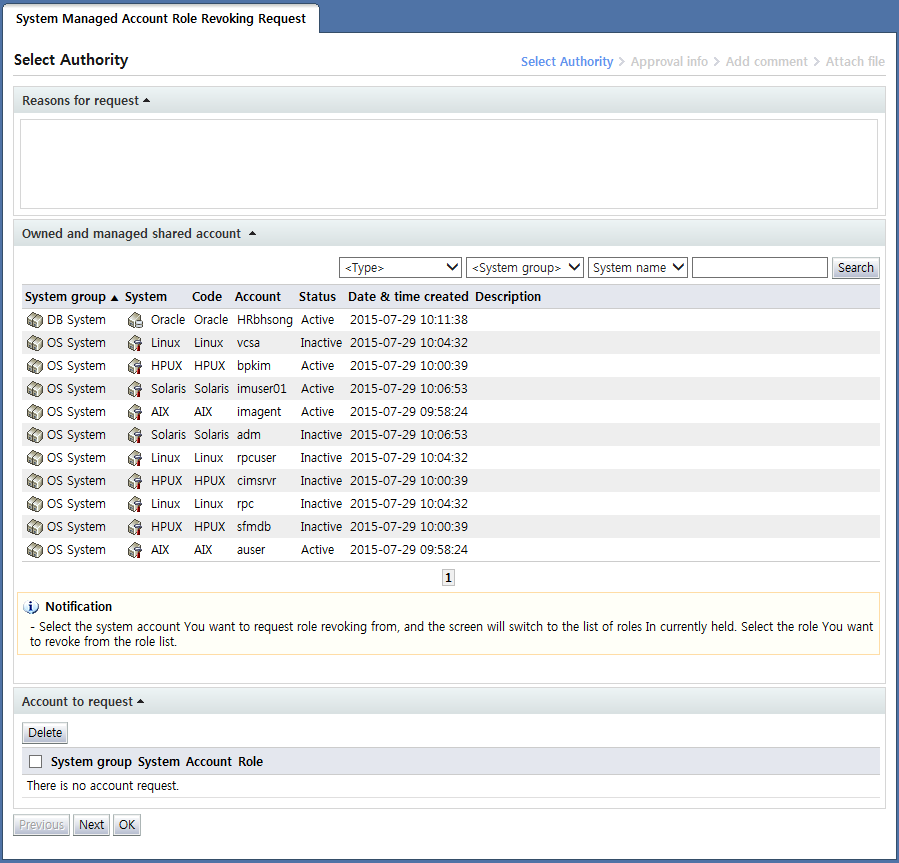
<System managed account role revoking request>
System managed account role revoking request is a document used to request the revocation of roles owned by the shared system accounts managed by the requester.
Therefore, in the "Owned and managed shared account" area, shared system accounts managed by the requester are shown.
To revoke the roles of a managed account, click the account for which roles will be revoked in "Owned and managed shared account". The clicked account is moved to the following screen where a list of roles owned by the account is displayed: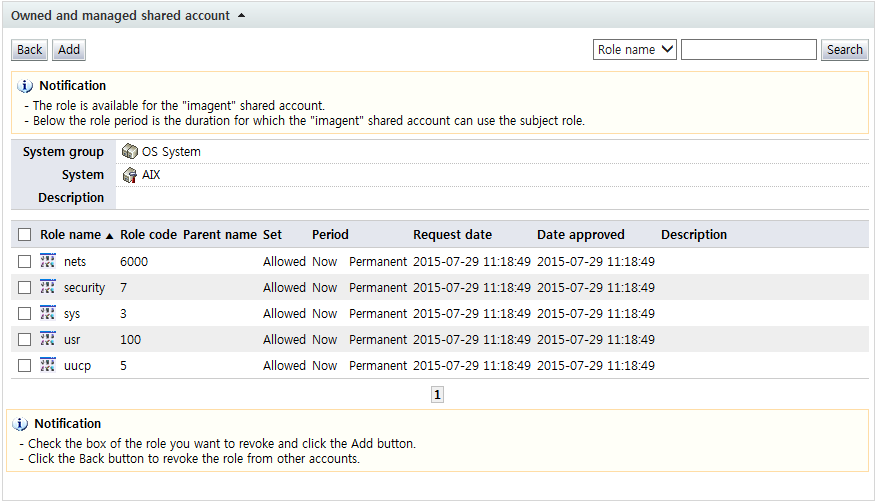
<Info on roles owned by a particular managed account>
In the list of roles owned by the selected managed account, select the checkbox of the role to be revoked. When the "Add" button is clicked, the role of the account for which revocation is requested is shown in the "Account to request" area as shown below. By clicking the "Back" button, revocation of roles of other accounts can be requested as well.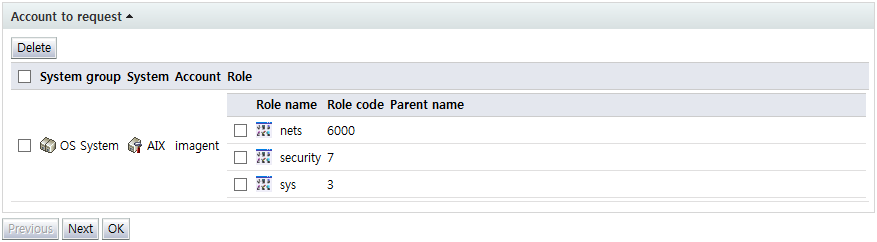
<Account for which roles will be revoked and roles>
To delete an account from the Account to request area on the screen above, check the checkbox for the item and click the "Delete" button. Likewise, for roles to be excluded from the roles for which revocation is requested, select the checkbox of the item and click the "Delete" button. This will delete the role.
After entering request info, click the "Next" button and enter additional approval info.