4.1.2.35 Personal system account password change request
When Personal System Account Password Change Request is selected in the request list, the following screen is brought up: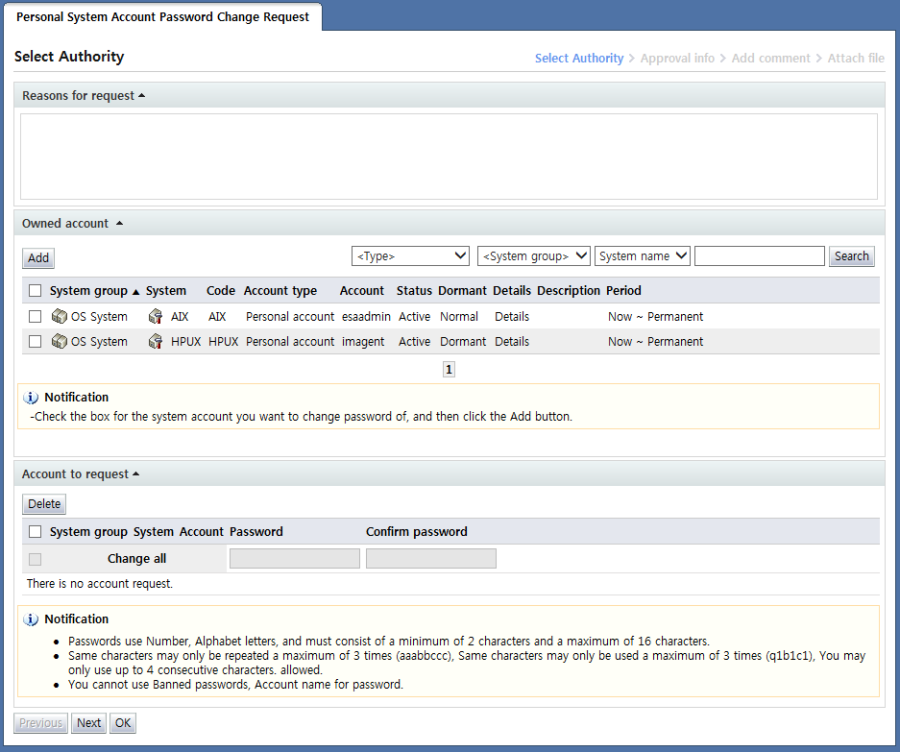
<Personal system account password change request>
Personal system account password change request is a form used when changing the password of a system account owned by the user by manually entering the password.
In this form, passwords can be changed only for personal system accounts owned by the requester. Passwords for shared accounts of the requester cannot be changed.
In the "Select account" stage, the account for which the user will change the password is selected.
In the "Owned account" area, a list of personal system accounts owned by the user is shown.
Here, select the system item for which the password will be changed and click the "Add" button.
When an item is added, the new password for the account can be entered in the "Account to request" area as shown below.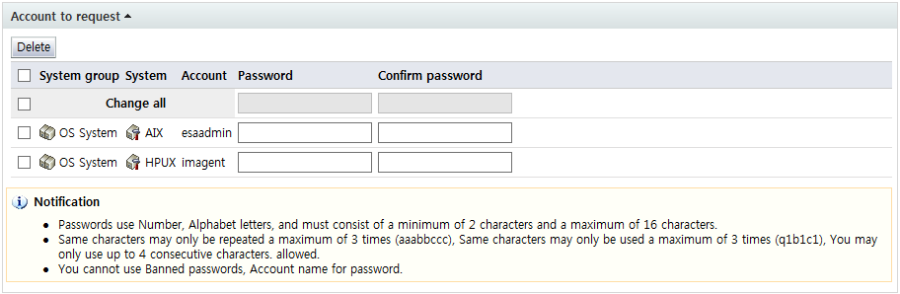
<Account whose password will be changed>
Passwords can be entered individually for each system account. When the checkbox for "Change all" is selected, the password entry boxes for individual items are disabled as shown below, and the password entry box for batch change is enabled.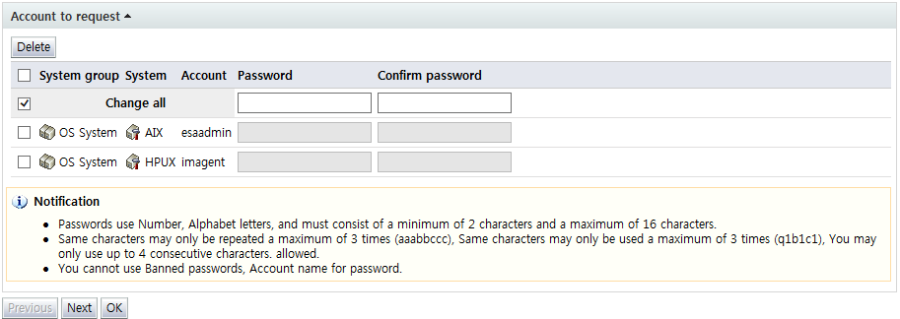
<all password change request>
Using this enabled Change all password entry box, a request to change the password for all added accounts to the same password can be submitted.
The password entered here must comply with the password policy in order for the process to proceed to the next step.
To delete an account from Account to request, select the checkbox of the account and click the "Delete" button.
Note that the password entered here is not shown in the form. The requested password is saved in a separate server DB; when a request is approved or returned, the saved password is deleted.
Likewise, when a user makes a request to change a password, a password change request cannot be made for the same account until the request is approved.
After entering request info, click the "Next" button and enter additional approval info.