4.1.5 Task log
When Task log is selected from the personal info menu, the following view task log page is brought up: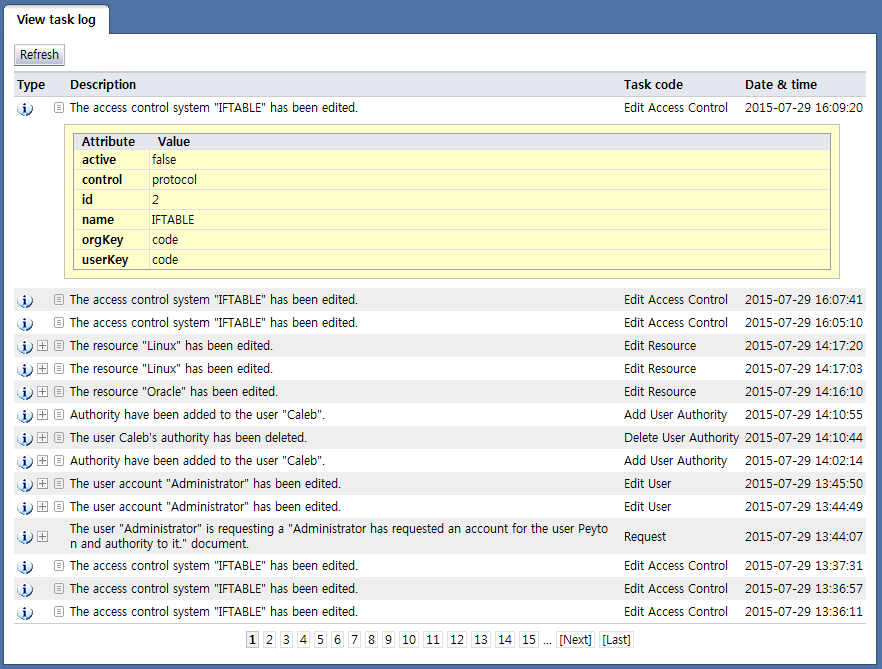
<Task log>
The following describes the items displayed in the list:
Type: Displays audit info types such as error, warning, info, success, and failure
Description: Displays a description of the task content
Task code: Displays the event code for the task
Date & time: Displays the date & time of task execution
Depending on the task record, detailed child task records can be viewed. By clicking the  image, child task info can be viewed.