4.1.2.34 Delegated system account network info update request
When Delegated System Account Network Info Update Request is selected in the request list, the following screen is brought up: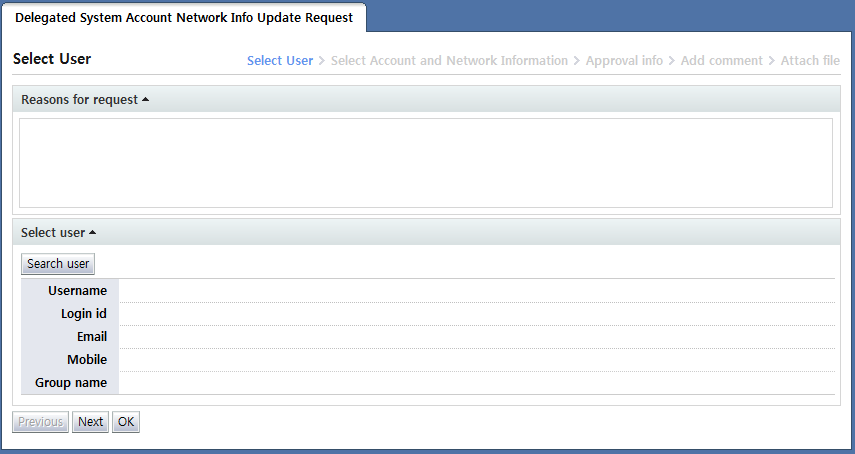
Delegated system account network info update request is a form used to file a proxy request for the update of network info used when accessing a system account of another user.
In this form, network info only for system accounts (including personal and shared accounts) owned by the selected user can be edited.
The Enter info screen for the delegated shared system account use revoking request is divided into two steps.
In the first step, the user whose account's network info will be edited is selected.
In the second step, the account whose network info will be edited is selected from among the accounts owned by the selected user.
In "Select user" of the user selection step, the users to be requested are selected. To select a user, click the "Search user" button and select the users on the user popup screen that appears.
The following is the user selection popup screen: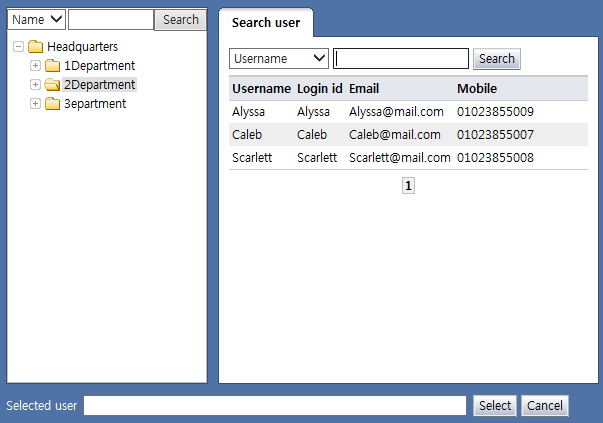
<User selection popup>
When the user name or login ID of a user is clicked on the popup, the user is displayed in "Selected user" on the bottom of the popup.
Verify the user and click the "Select" button to select the user for whom the delegated request will be made. Only 1 user can be selected. Multiple user selection is not possible.
The selected user is displayed as in the following: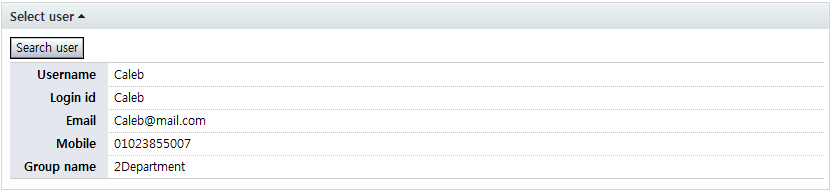
<Select user>
After selecting a user, click the "Next" button to select the accounts whose network info is to be edited among the accounts owned by the user.
The following figure shows the screen brought up when the "Next" button is clicked: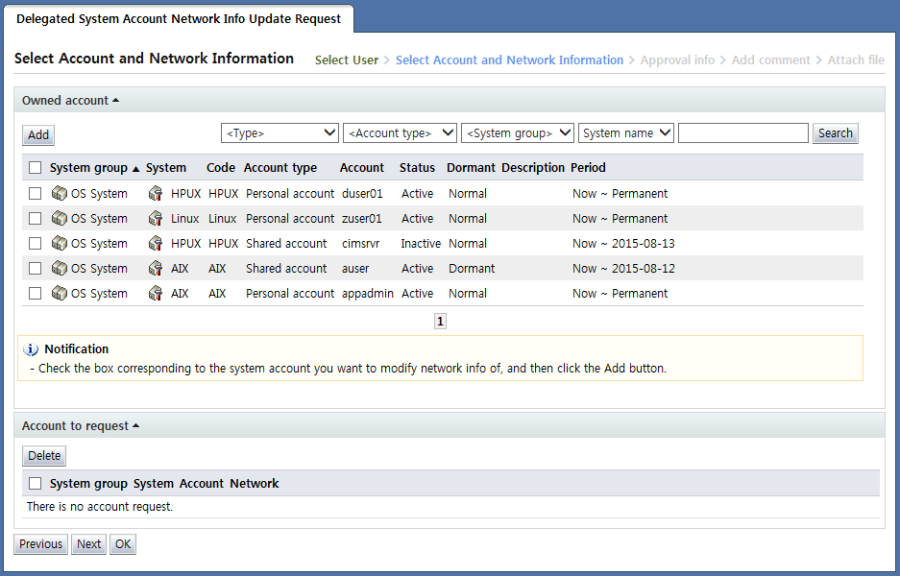
<Select account and network info>
In the "Owned account" area, a list of system accounts owned by the user selected in the previous step is shown.
The following step is identical to
User's system account network info update request
; refer to the above for more info.