4.1.2.27 New shared system account request
When New Shared System Account Request is selected in the request list, the following screen is brought up: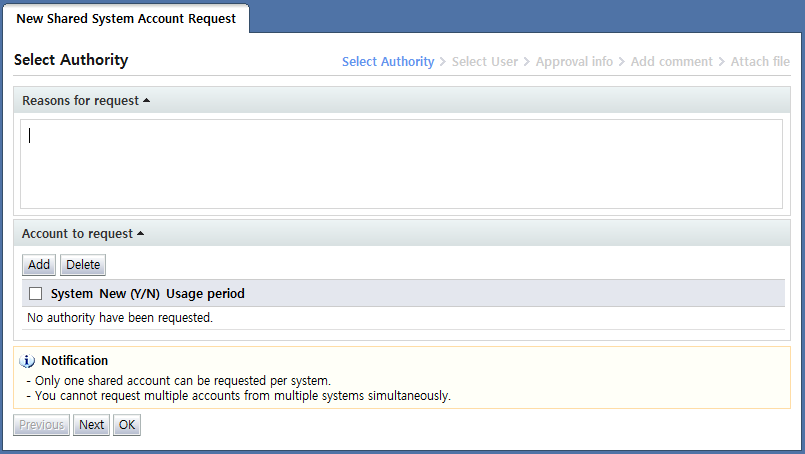
<New shared system account request>
New shared system account request provides a form for requesting the creation of a shared account to be used by multiple users in OS, DBMS, or network equipment systems.
Here, the creation of only 1 shared account can be requested for one system. Creation of multiple shared accounts in multiple systems cannot be requested.
The Enter info screen for the new shared system account request is divided into two steps. In the first step, info for the account whose creation is requested is entered.
In the second step, the users to manage and use the account whose creation is requested are entered.
In the "Enter account info" step, a screen for entering info for the shared account to be created is displayed. To add, click the "Add" button and select the authorities to be requested on the system authorities popup. For a description of the screen, refer to
<System authority popup>
.
Here, on the <System authorities popup>, user network info is not entered.
Only info on the account to be created is entered as shown below.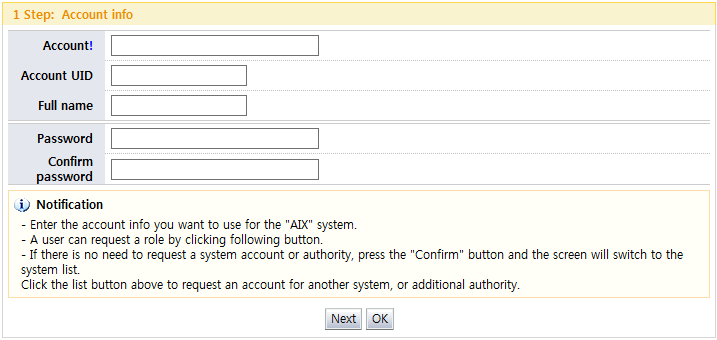
<Enter account info>
After account info is entered on the popup, the entered info is displayed as follows in the "Account to request" area: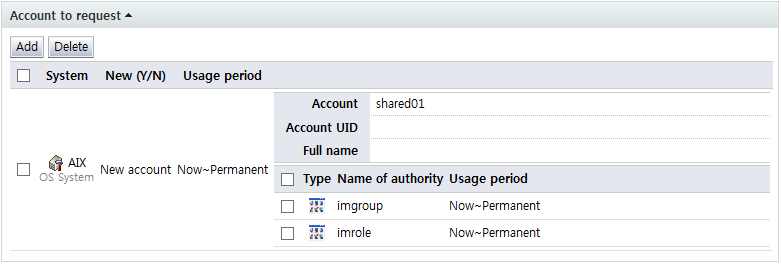
<Entered account info>
To delete the info and submit the request, select the checkbox for the role or account info to be deleted and click the "Delete" button.
When input of info for step 1 is completed, click the "Next" button to display the "Select user" screen for step 2.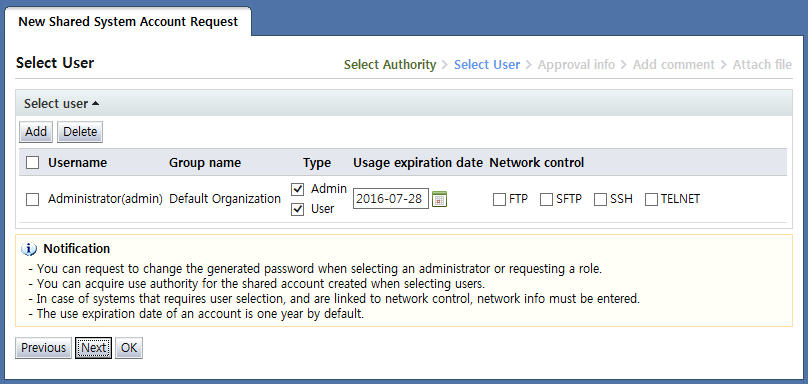
<Select user>
In "Select user", the admin and users of the shared account to be created are designated.
By default, the requesters of a shared account are registered as admins and users.
To register additional admins and account users, click the "Add" button and select the requester on the select user popup screen.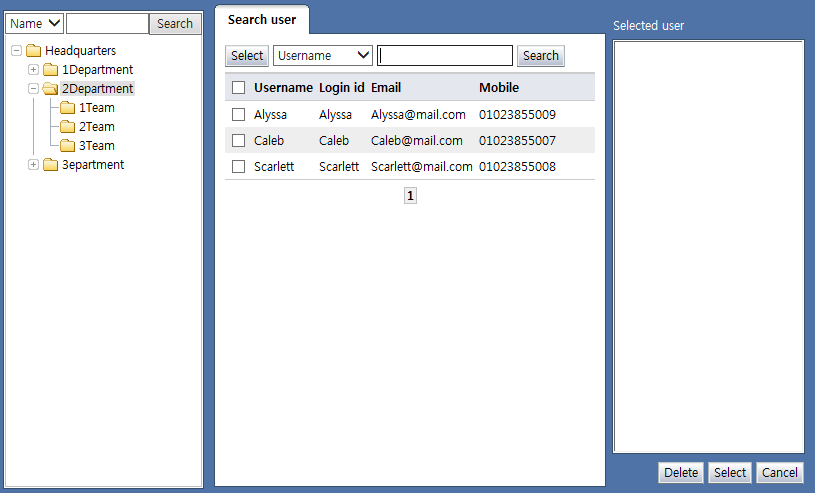
<Select user popup screen>
The added users are displayed as in the following: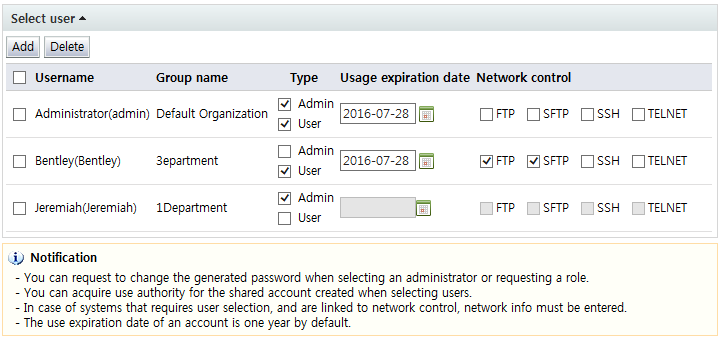
<Select user>
When only shared account admins are selected, no network info is entered. There is also no usage expiration date.
When only shared account users are selected, the account usage expiration date and info on the network to be used for account access must be entered.
Although added users can be both admins and users, at least 1 admin must be selected.
Note that, for network info, the requested system must be synced with access control. The user must also have network info.
In addition, if there is info to be deleted, select the checkbox next to the user name and click the "Delete" button.
After entering request info, click the "Next" button and enter additional approval info.