4.1.2.26 Delegated shared system account use request (multiple)
When Delegated Shared System Account Use Request (Multiple) is selected in the request list, the following screen is brought up: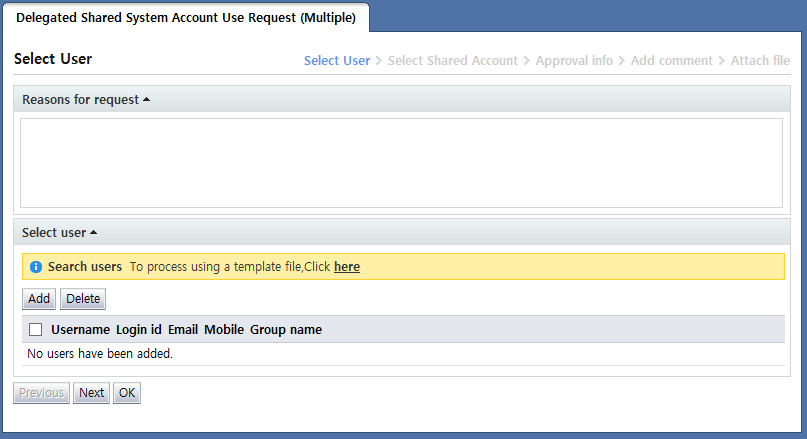
<Delegated shared system account use request (multiple)>
The delegated shared system account use request (multiple) is a form wherein the use of OS, DBMS, or network equipment accounts registered as managed accounts by another user for a certain period is requested.
Accounts registered as managed accounts and used for a certain period together with other users are called shared accounts.
Note that, in this request, multiple users can be requested.
This form is used to file requests for multiple users at once. Therefore, if the system of the account whose use is requested is synced with access control, and the network control policy is "IP-protocol control" or "IP control", in order to control IPs for multiple users, each of the IPs being used by the users must be selectable.
Since selecting the individual IPs for multiple users is inconvenient, however, when the network control policy is "IP-protocol control" or "IP control", the IP input is not received, and the IPs of all of the selected users are automatically processed as allowed. To process individual IPs, the
Delegated shared system account use request (single)
form may be used.
The Enter info screen for the delegated shared system account use request (multiple) is divided into two steps. In the first step, the user who will use the account is selected. In the second step, the account to be used by the selected user is selected.
For the method of selecting users in step 1, refer to
<Multiple user selection>
section.
For shared account selection in step 2, refer to
<Shared account use request popup>
section.
After entering request info through the process above, click the "Next" button and enter additional approval info.